
iFlyPoGo is the #1 location spoofing software in the industry right now. Using an Android + iPhone setup, you can spoof up to 3 iPhones simultaneously — all running the official Pokémon GO — with a 100% Safe! no jailbreak needed. It also works with Monster Hunter Now and Snapchat etc.
This guide walks you through installing iFlyPoGo, setting up your Bluetooth connection 🔗, and using its two core modes (Joystick & Teleport) so you can hit the ground running.
⚠️ Important: Even for short-distance jumps, we recommend NextDNS for the best stability (tested to hold spoofing for 10+ hours). If you’re teleporting within 15 km, just follow Steps 1–8. If you’re teleporting more than 15 km, complete Step 9 (Configure NextDNS for Teleports Over 15 km) to keep your location stable.
1. Before You Begin
Make sure you have the following ready:
- ✅ iFlyPoGo installed and running properly.
- 🔑 A VIP or trial account (Bluetooth connection will not work without one).
- 📱 An iPhone (iOS) and an Android.
2. Turn Off Bluetooth Connections
You must turn off Bluetooth before connecting; otherwise, the connection may fail.
- On your Android: Turn off Bluetooth → Make sure no devices are connected.
- On your iPhone 📱: Turn off Bluetooth.
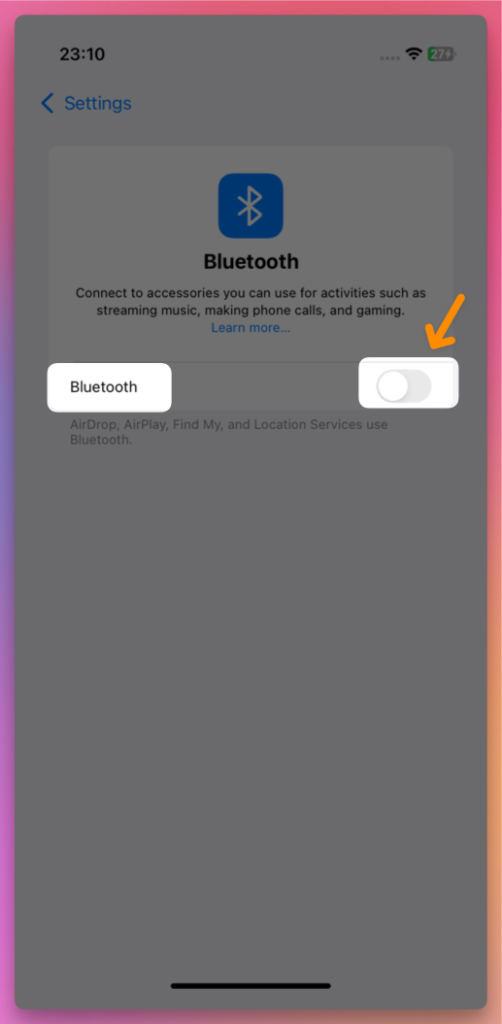
- then wait 3-10 seconds.
3. Turn On Bluetooth on Your Computer
- Now, Turn Bluetooth on for your iPhone and Android.
4. Launch iFlyPoGo and Log in with Discord
- Open iFlyPoGo → Click Discord Login
- The browser will redirect to the authorization page → Click Authorize ✅.
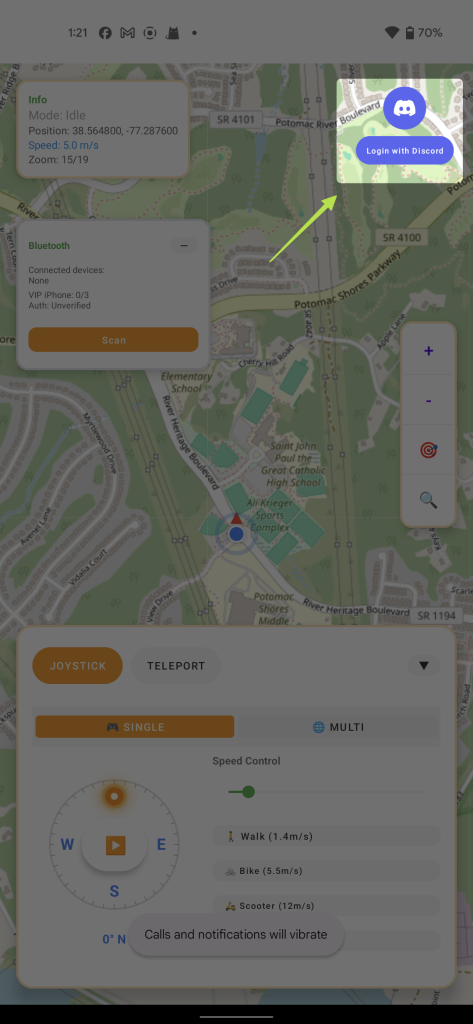
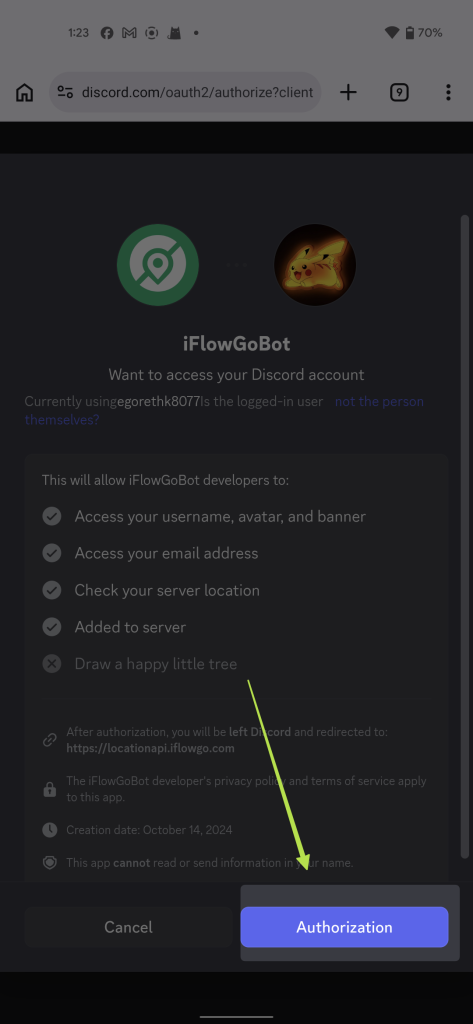
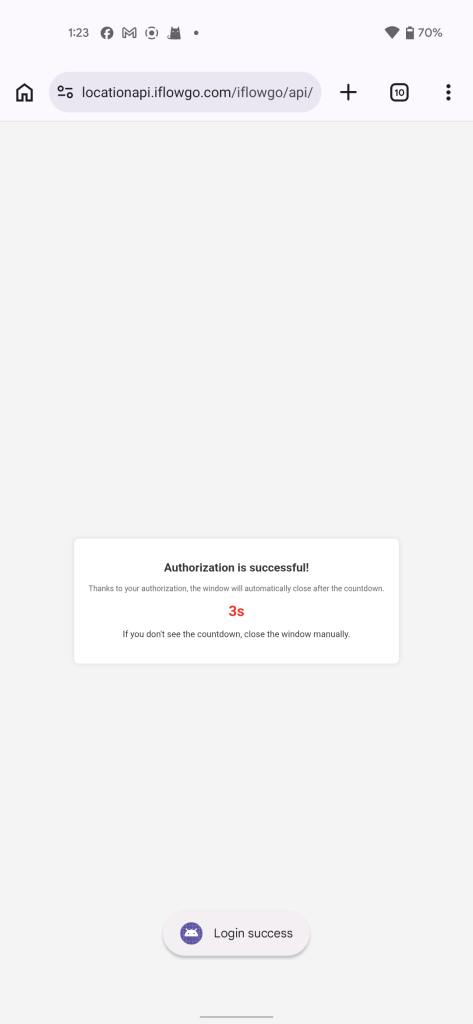
- Return to iFlyPoGo; it will automatically log you in.
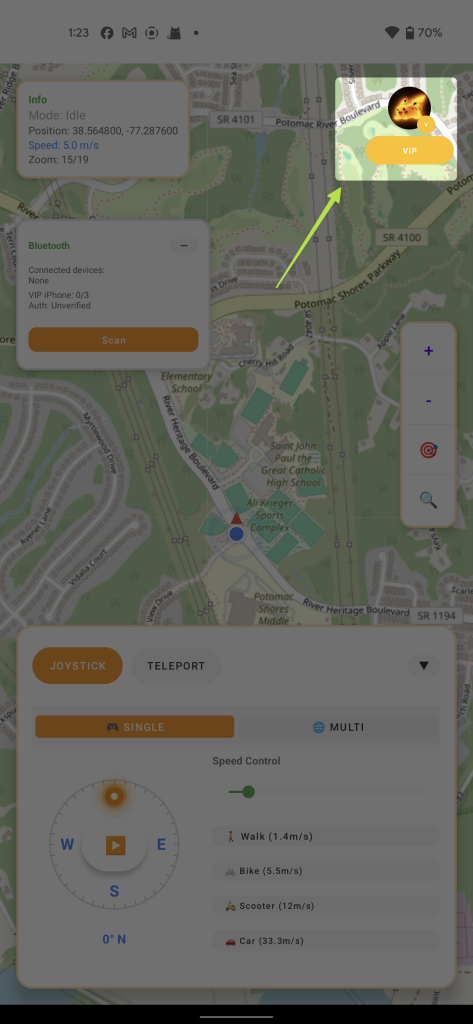
5. Bluetooth Connection Steps
- Before getting started, make sure you turn off Bluetooth on both your Android and iPhone first, then wait 3 to 10 seconds (this clears out the Bluetooth cache), and then turn Bluetooth back on on both devices.
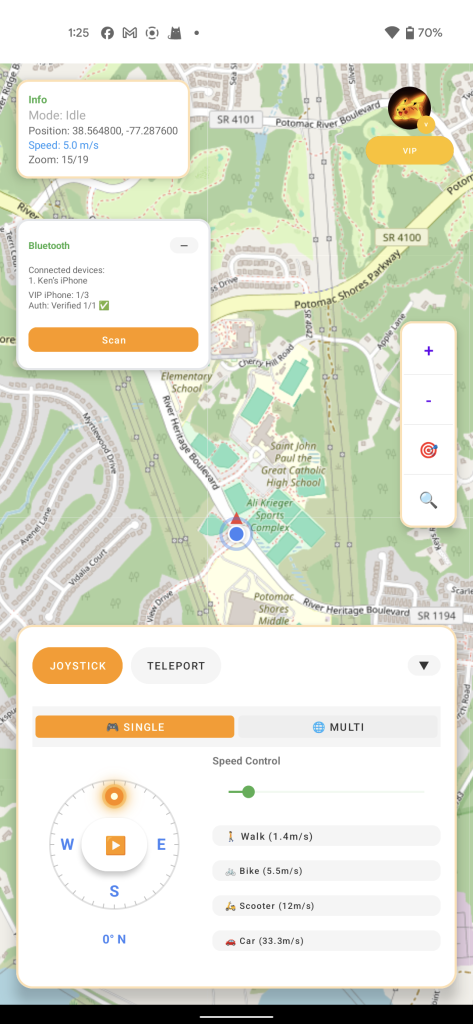
- In iFlyPoGo, click the Bluetooth icon → Scan Button → Choose a Bluetooth and click on Connect Button.
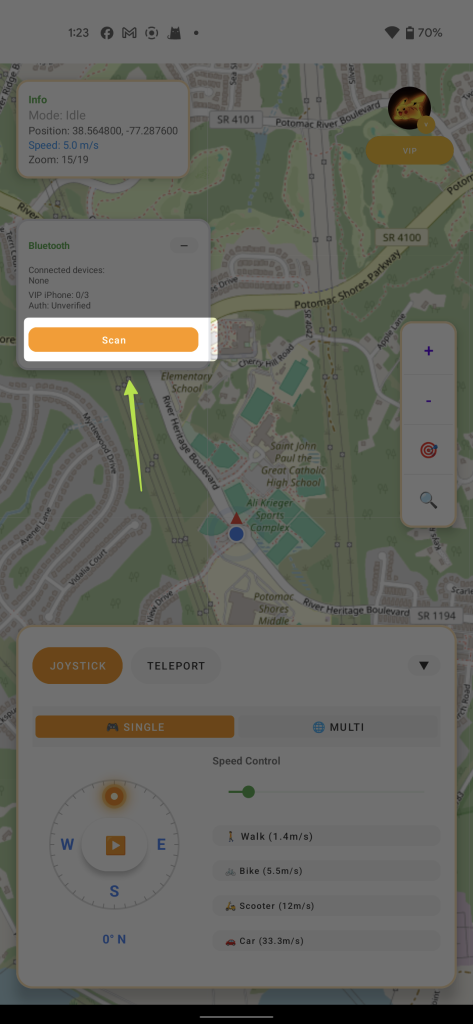
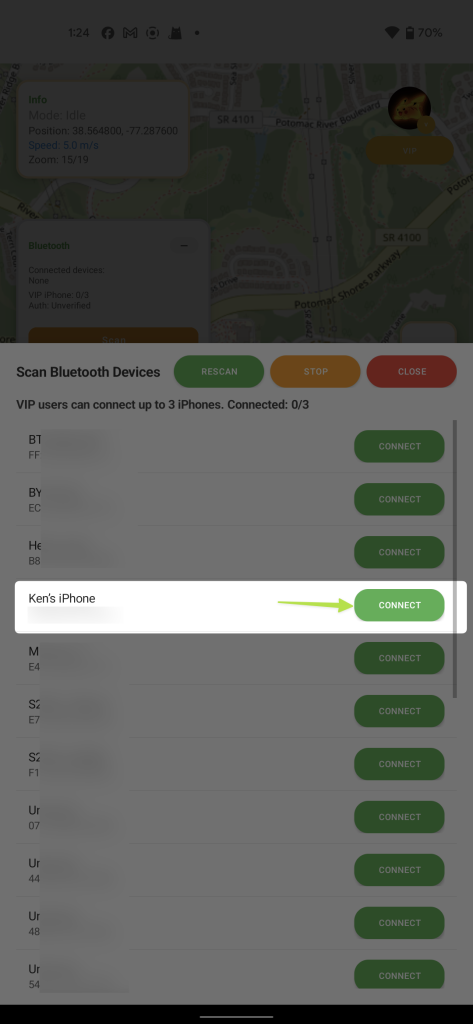
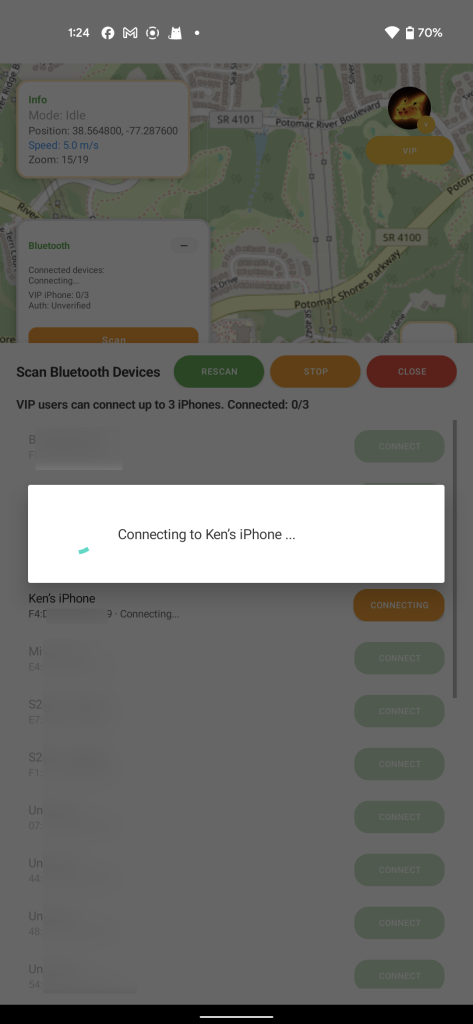
- Then just walk through the next few steps until you see the Authentication Successful screen — once you see that, you’re all good and connected!
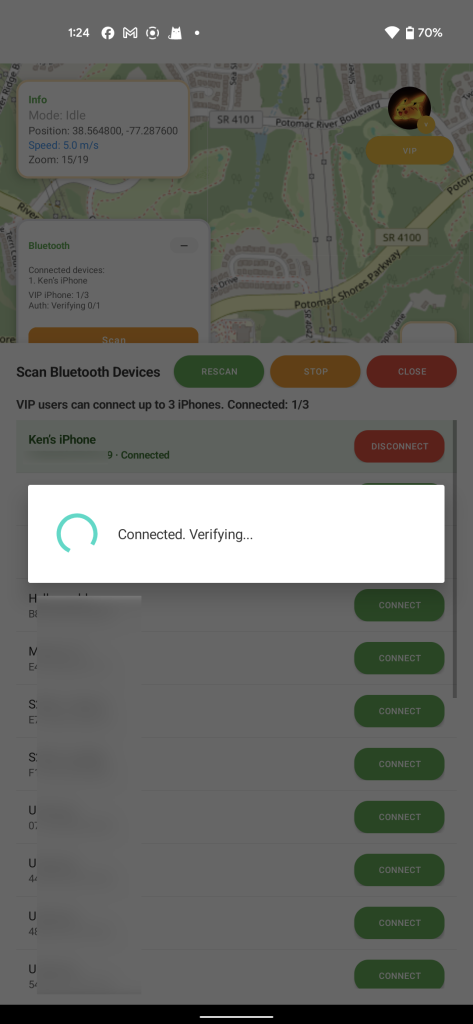
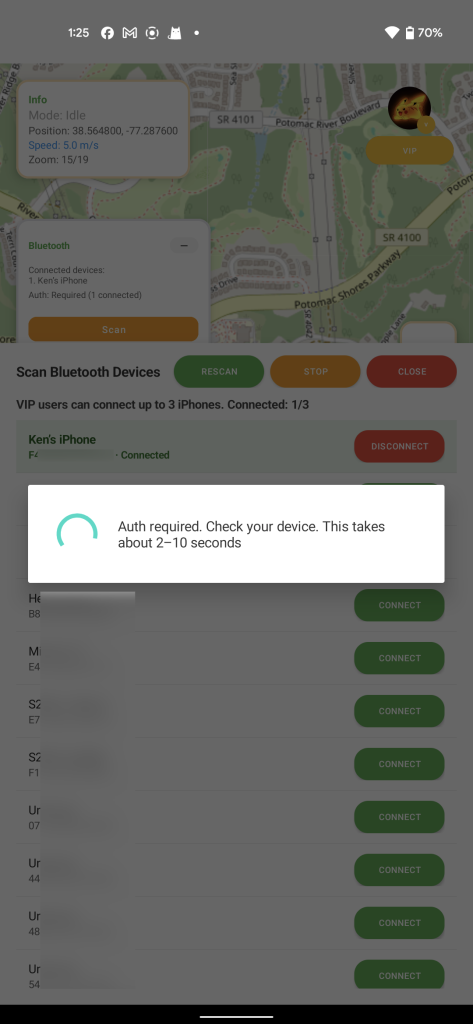
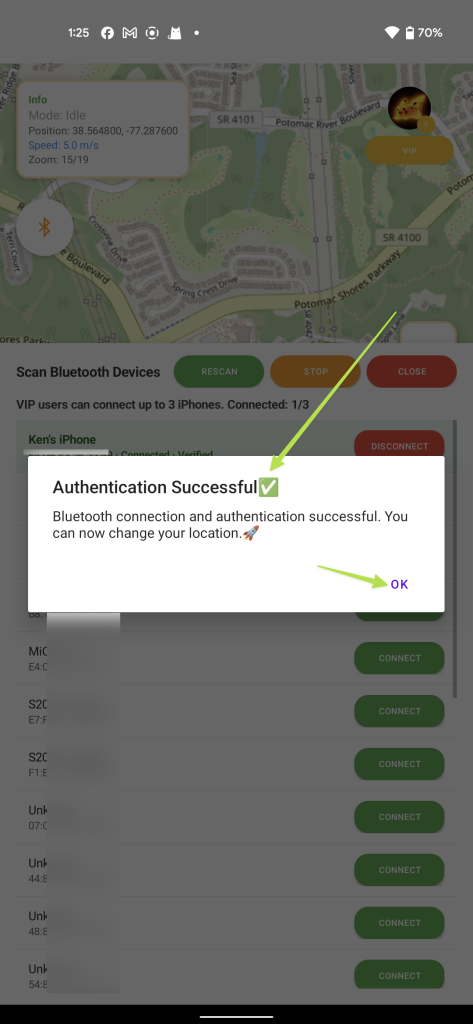
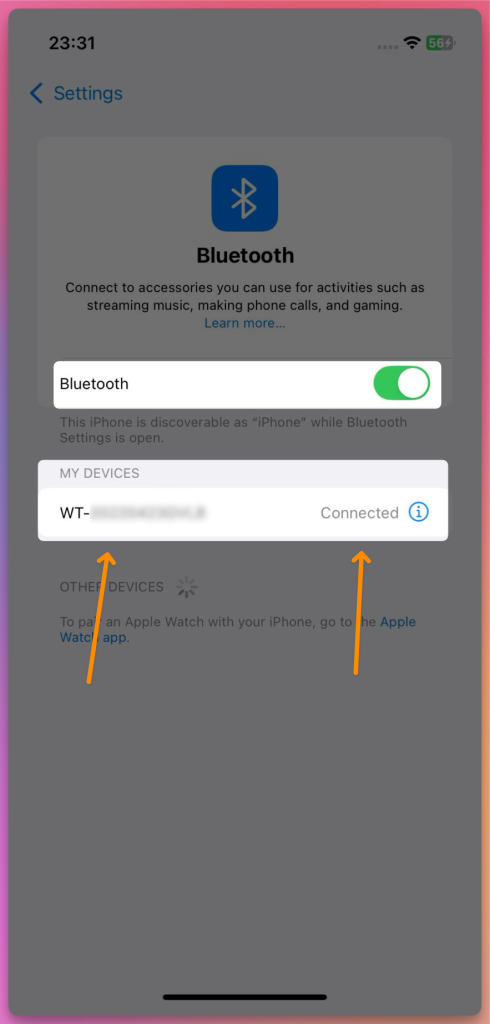
- This is your Bluetooth connection list, any connected devices will show up at the top. You can connect up to 3 iPhones at the same time to spoof locations simultaneously. But if this is your first time, we recommend starting with just one device first and then following the rest of the steps.
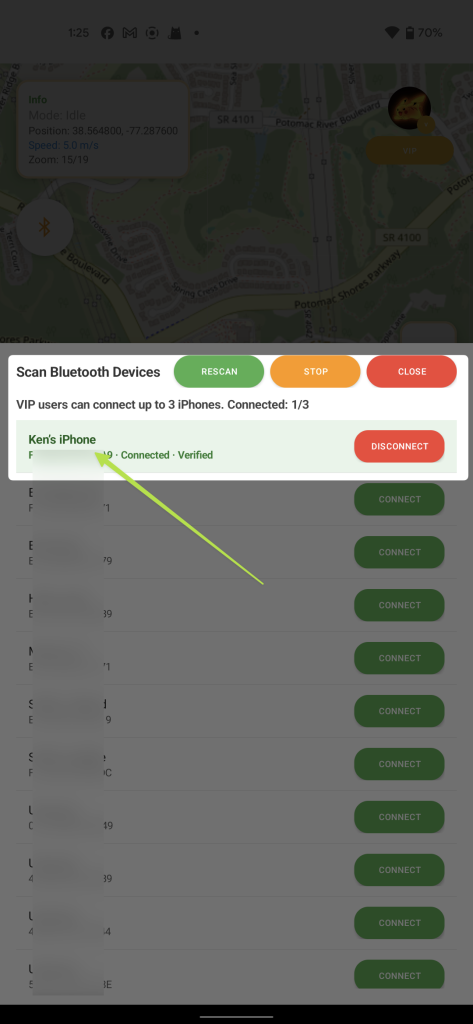
- And your iPhone will also shows Connected!
6. Choose a Location Mode
Now, you can change location!!!
- Joystick Mode 🕹️: Ideal for slow movement in Pokémon GO, simulating real walking 🚶♂️.
- Teleport Mode 🚀: Instantly jump to any location within 15 km, perfect for quickly reaching hunting spots in Monster Hunter Now 🐲.
7. How to Fix the Map Not Showing Your Location
If the map doesn’t display your position:
- Make sure Airplane Mode stays on and iPhone cellular data is turned off.
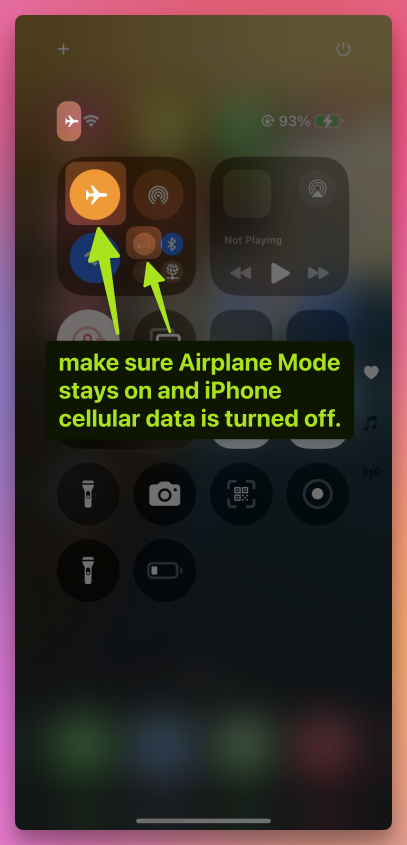
- Keep the Bluetooth connection active 🔗.
- Turn off Wi-Fi 📡, and Location Services 📍 on your iPhone
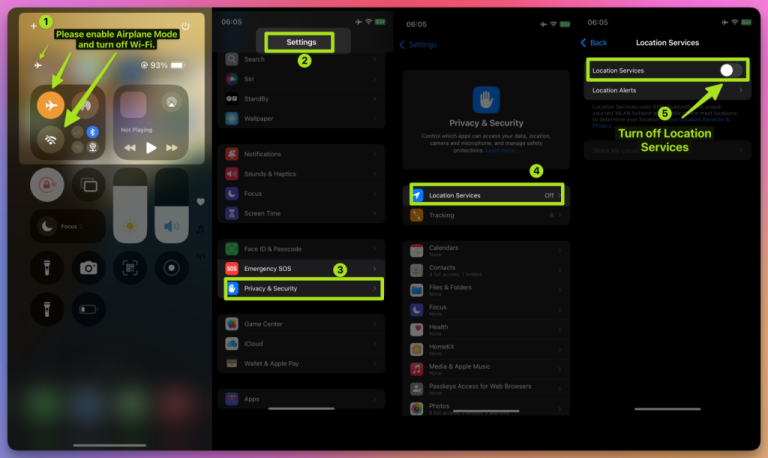
Wait 10 seconds ⏳. Turn them back on.
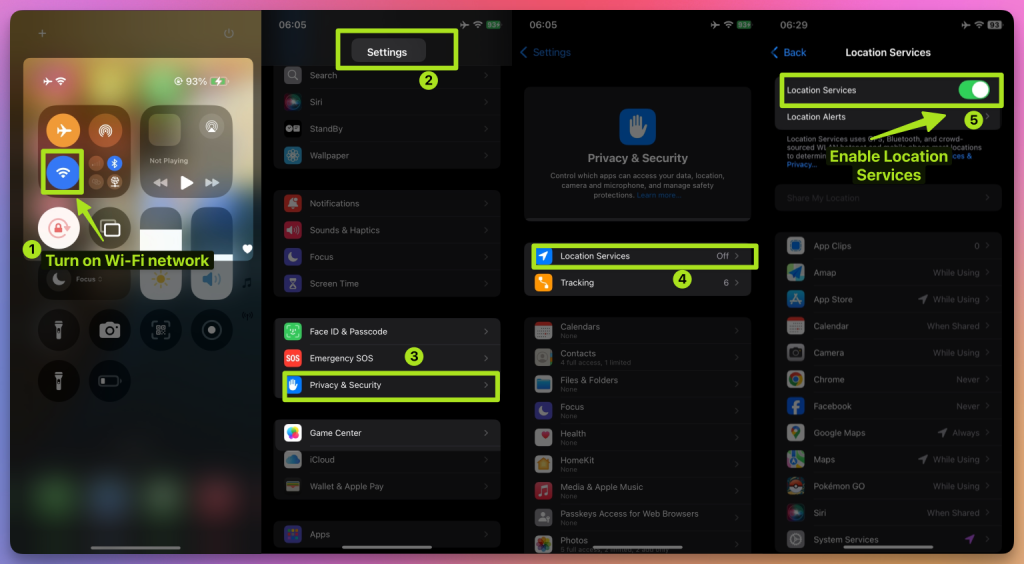
8. Tips for Using iFlyPoGo in Pokémon GO, Monster Hunter Now, and Snapchat
Pokémon GO 🎮:
- Use Joystick Mode to move slowly around your usual area and catch Pokémon 🐾 without triggering bans 🚫.
- Use Teleport Mode to join gym battles or catch rare Pokémon.
Monster Hunter Now 🐉:
- Use Teleport Mode to quickly reach monster spawn points.
- Use Joystick Mode for short-distance combat movement.
Snapchat 📸:
- Check in and take photos in different cities 🏙️ to unlock unique location filters ✨.
9. Configure NextDNS for Teleports Over 15 km
If you’re teleporting more than 15 km, you must configure NextDNS first — otherwise your spoofing may become unstable or fail after a short time.
⚠️ Setup steps:
- 👉 Follow the NextDNS Setup Guide.
- Configure both your iPhone and Windows computer with the provided NextDNS settings.
- Once completed, you can safely teleport long distances without losing location sync.
- In our tests, NextDNS keeps spoofing stable for 10+ hours, even during extended gameplay.
💡 Tip:
- For teleports under 15 km, Steps 1–8 are enough.
- But even for short-distance spoofing, we still recommend enabling NextDNS for extra stability.
10. All Set! Start Your Virtual Adventure
You’ve successfully set up iFlyPoGo for the first time ✅. Now you can freely move your location in Pokémon GO, Monster Hunter Now, Snapchat, and more—explore the virtual world your way! 🚀. Spoof Anywhere, Anytime — Change Your iPhone GPS Instantly. No jailbreak, no cracked apps. 🏆 #1 iOS spoofing tool on Patreon. ✅ 100% Safe.